
The Art of the Crop:
Why Photo Cropping Changes Your Portrait’s Impact
Changing your storytelling with cropping.
You’ve probably heard the phrase “a picture is worth a thousand words.” But here’s the thing most people don’t realize: how you crop that picture changes every single one of those words.
Cropping isn’t just about cutting out a distraction in the background or making a photo fit a square Instagram grid. It’s one of the most powerful storytelling tools in photography, and when it’s done intentionally, it can completely transform the emotional impact of an image.
This is something I find myself explaining a lot during client consultations, because it’s not obvious until you see it side by side. So let’s dig into it.
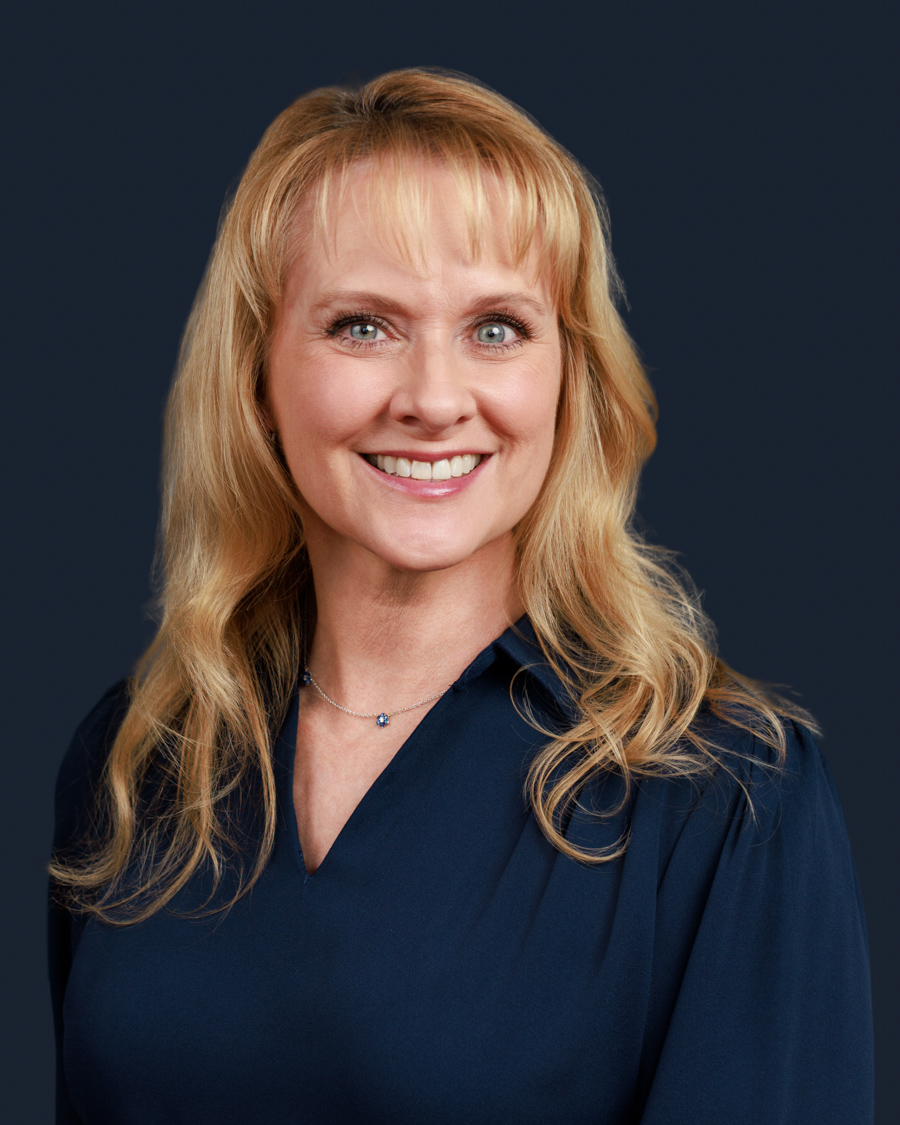
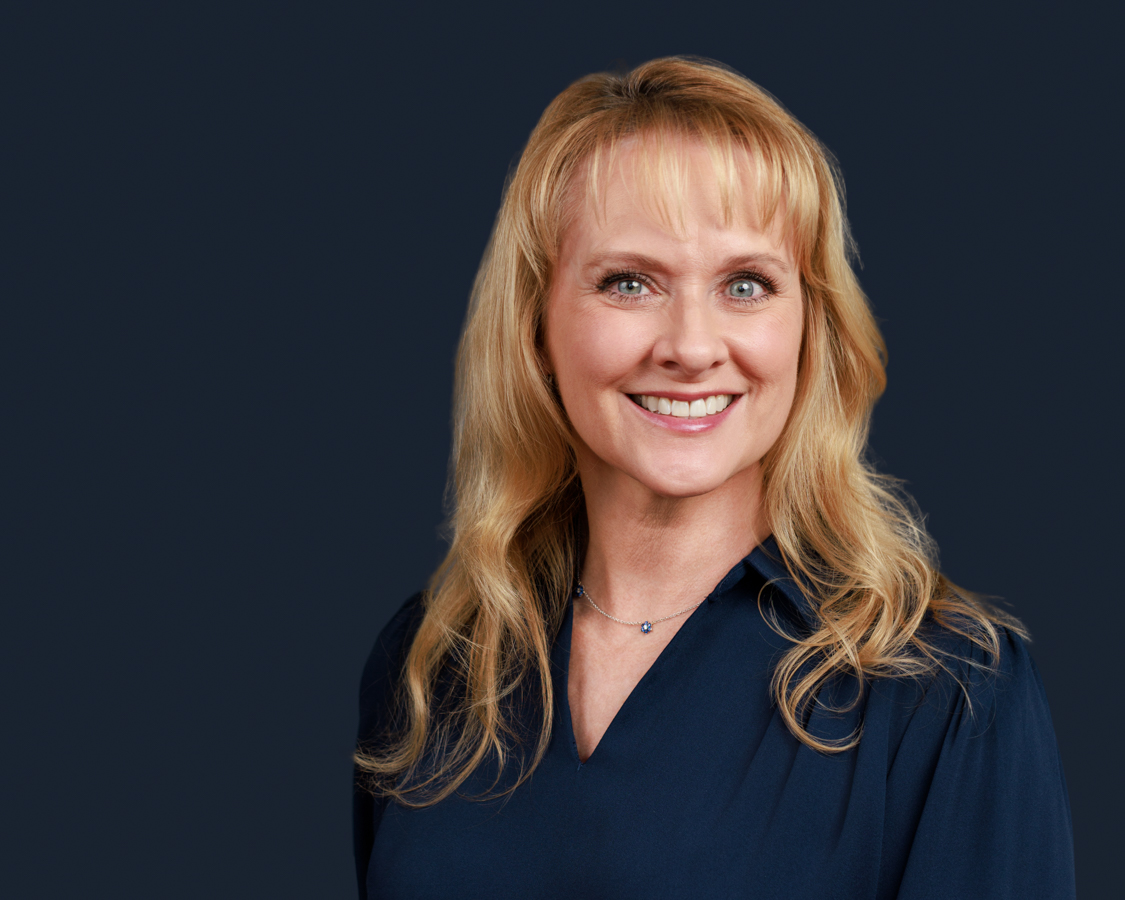
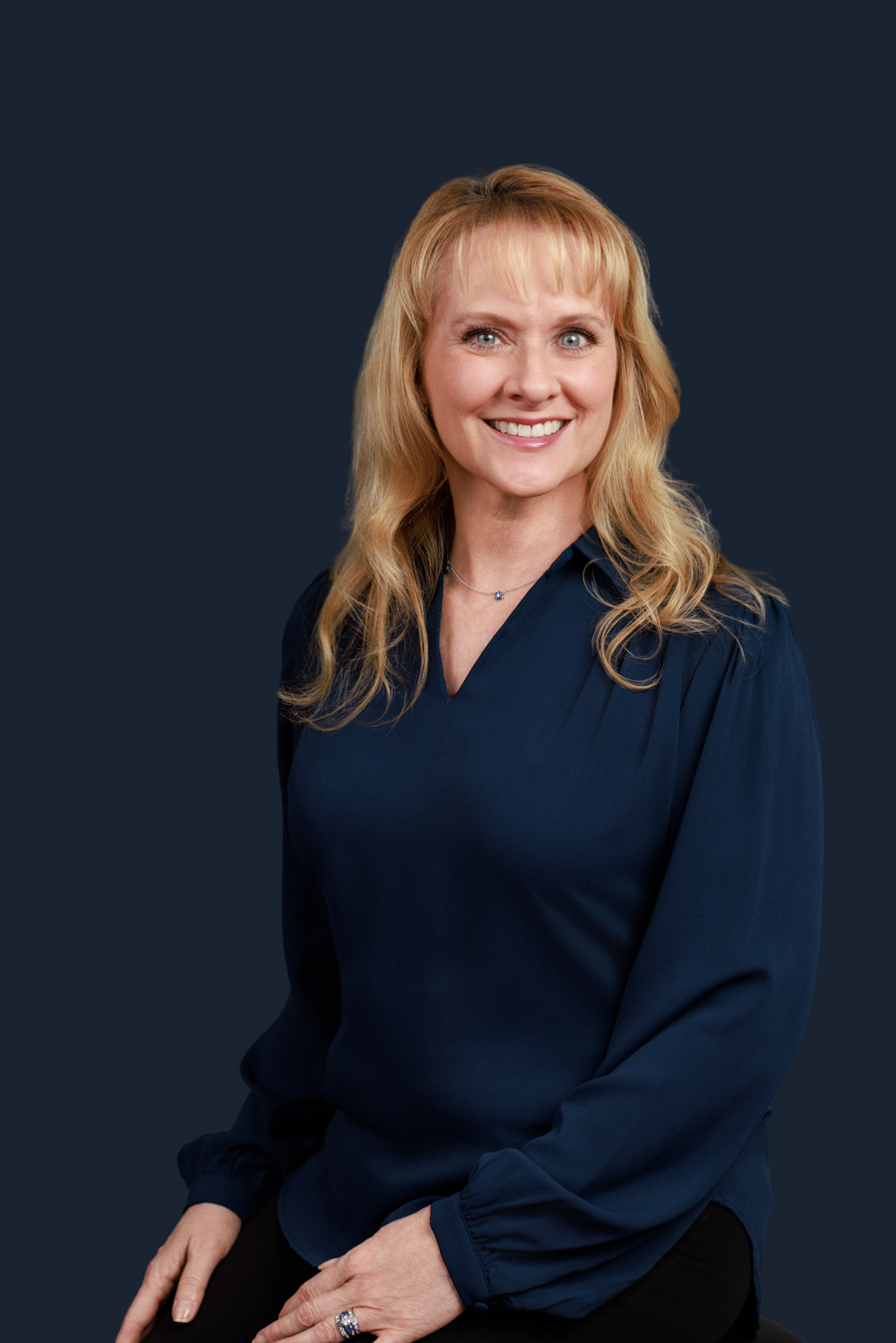
Same Photo, Different Story
Here’s the simplest way to understand what cropping does: it controls where the viewer’s eye goes, and that controls what they feel.
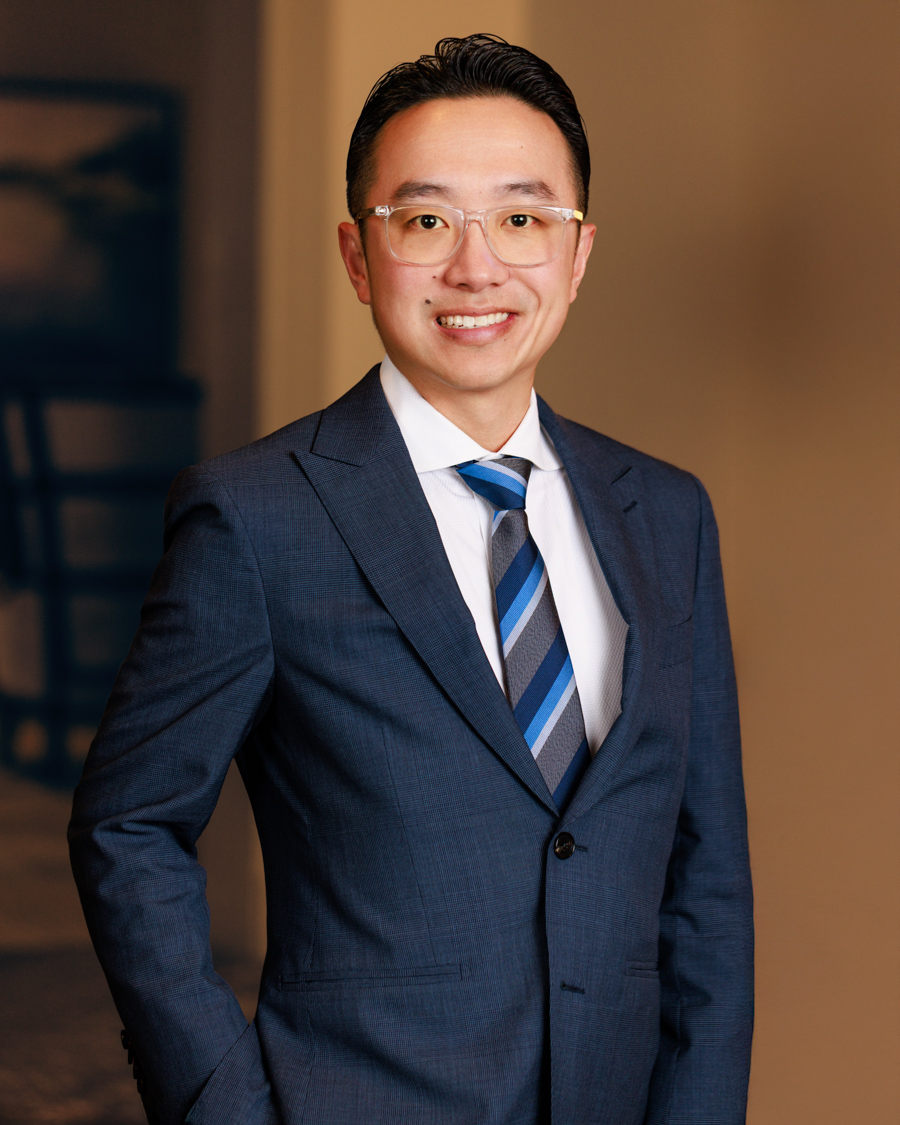
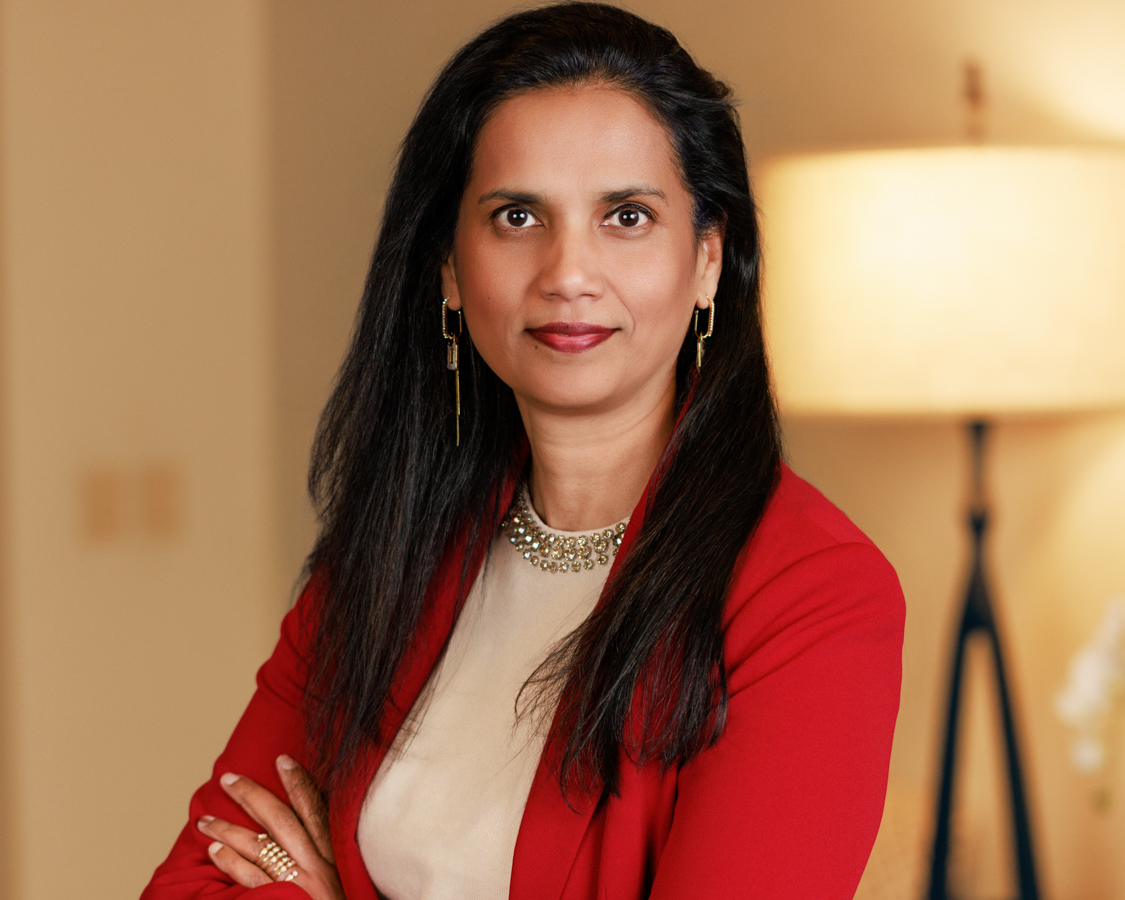
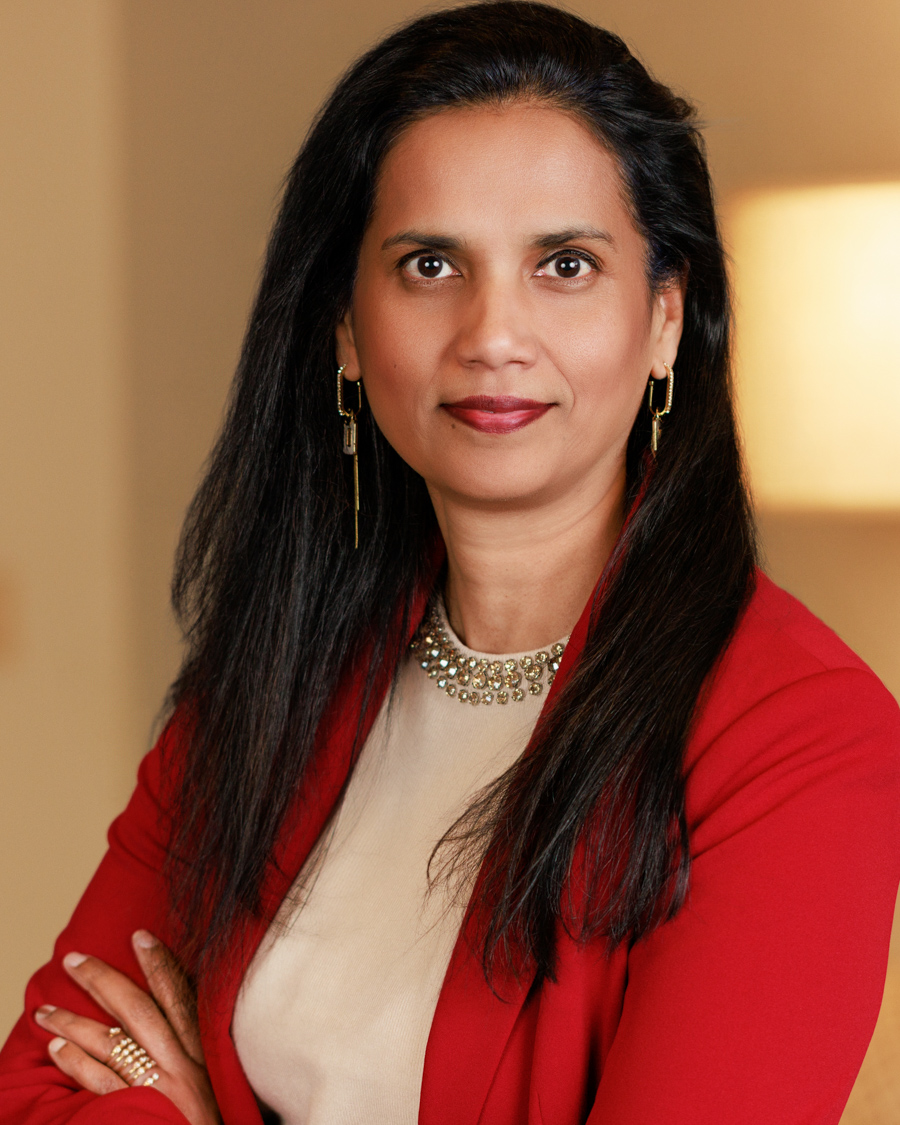
Take a wide shot of someone standing in a corner office with floor-to-ceiling windows. The image says something about context, environment, and status. Now crop in tight to just that same person’s face, composed, direct, confident. That image says something entirely different. Same person. Same light. Same session. The emotional experience of looking at those two photos is worlds apart.
Wide shots give context. They answer the question, “Who is this person and where do they belong?” Tight crops create connection. They answer the question, “Can I trust this person?”
Neither is better than the other. They just do different jobs, which is exactly why having a variety of crops from a single portrait session matters so much.
Headshots: Why the Crop Feels So Personal
Traditional headshots are typically cropped from the chest up, sometimes just shoulders and face, with the subject filling most of the frame. This has been the industry standard for a long time for a simple reason: it works. When a face fills the frame, the viewer feels like they’re in direct conversation with that person.
For LinkedIn profile photos, this kind of tight crop is almost always the right call. At thumbnail size, a wide shot with a small face in the center reads as distant and forgettable. A closer crop reads as present and confident.
For personal branding photography, the cropping strategy opens up quite a bit. You need variety because you’re building a library of images for multiple uses, not just one profile photo. Some of those will be tight. Some will be mid-range. Some will be wide environmental shots. Each crop in your gallery should be intentional, not arbitrary.
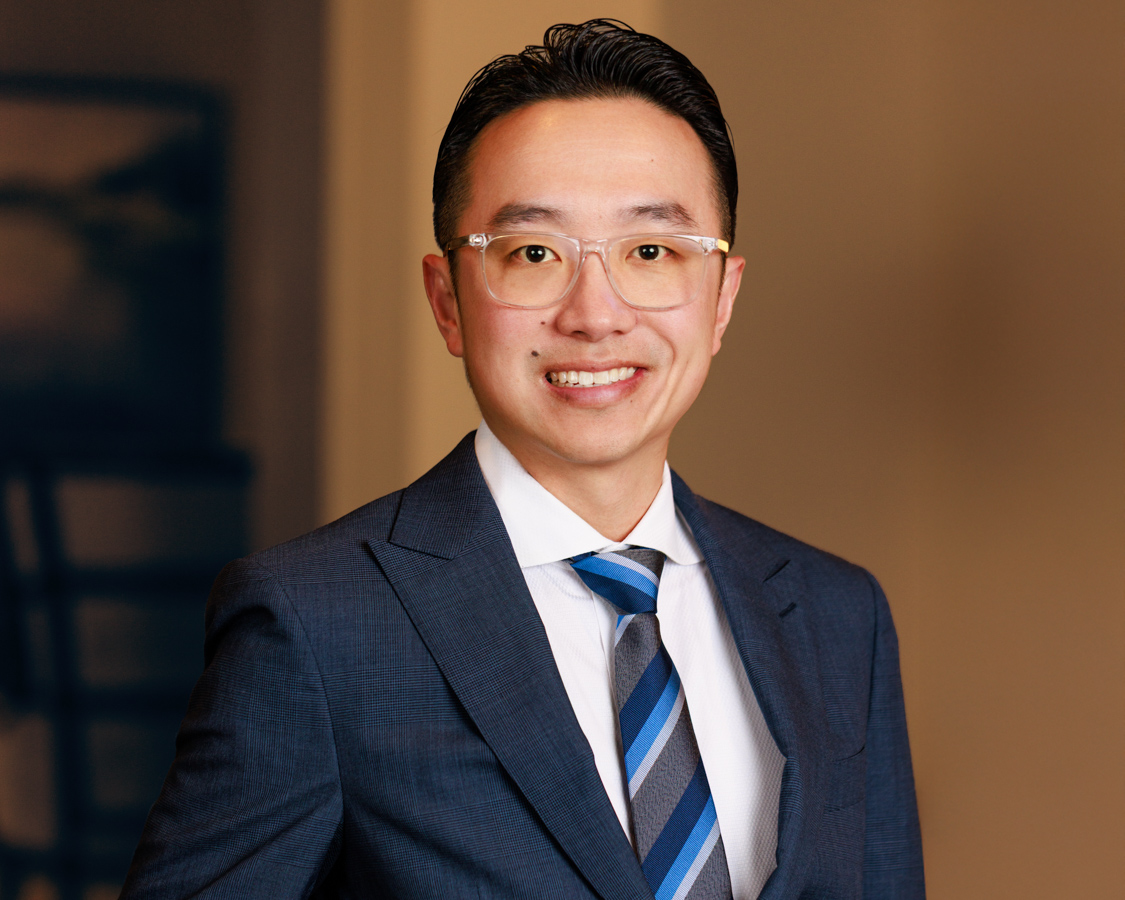
Why the Same Photo Works Differently Everywhere
This is probably the most practical piece of the cropping conversation, and it’s something a lot of people don’t think about until they’re sitting in front of their website builder wondering why that beautiful photo looks awkward as a hero banner.
Different platforms have different layouts, dimensions, and visual contexts. A crop that’s perfect for one can fall flat on another.
LinkedIn profile photo needs a square crop with the face prominent and centered. You want to be recognizable even at the small circular thumbnail size LinkedIn displays in feeds and comments.
LinkedIn banner is wide and horizontal. This is where an environmental shot or a lifestyle image from your branding session shines. It gives context and personality in a way a tight headshot can’t.
Website hero image depends entirely on your layout, but most hero sections are wide and horizontal, sometimes with text overlaid on one side. This calls for a crop with intentional breathing room, space that doesn’t feel empty but rather allows the design elements to sit comfortably alongside you.
Instagram feed works well with square or vertical crops. The 4:5 vertical ratio gives you the most real estate in the feed. Stories are fully vertical. These are different crops from what you’d use on a professional profile, and that’s fine, because the audience and context are different.
Speaker bio or press kit typically wants a clean, moderately tight crop that reads as approachable and credible at the same time. Not the most intense close crop, but not a wide environmental shot either.
Email newsletter or blog header often calls for a horizontal crop with some visual breathing room. If you’re laying text over part of the image, you need a crop that leaves compositional space for that.
One portrait session, thoughtfully shot and edited, can serve all of these placements. But only if the cropping has been considered for each one.
The Psychology Behind the Crop
This is the part that I genuinely find fascinating, and it’s worth understanding even if you never plan to pick up a camera yourself.
Cropping affects emotion in very predictable ways.
Tight crops create intimacy. The viewer feels like they’re in close conversation with the subject. For professionals in service-based fields, coaches, consultants, attorneys, executives, this kind of intimacy builds the sense of direct connection that makes someone want to reach out.
Wider crops that include the environment create credibility through context. A physician photographed in a clinical setting, a designer in their studio, a financial advisor in a polished office: the surrounding space does some of the trust-building for them before a single word is read.
Negative space, leaving room around the subject rather than filling every pixel, creates a premium feel. Think about how luxury brands use white space in their print advertising. The same principle applies to portrait photography. A cropped image with intentional open space feels elevated and editorial.
Asymmetric crops, placing the subject off-center using compositional principles like the rule of thirds, create visual energy. The image feels dynamic rather than static. It invites the eye to move through the frame rather than just land and stop.
None of this happens by accident in professional portrait photography. Every one of these decisions is made deliberately.
A Few Cropping Mistakes Worth Knowing
There are a handful of cropping errors that show up constantly in DIY headshots and casually cropped photos, and they’re worth knowing about so you can spot them.
The most common is cropping at the joints. Cutting a photo at the elbow, wrist, knee, or ankle creates a visual disconnect that the brain finds uncomfortable, even when the viewer can’t articulate exactly why. The natural, comfortable crop points on a human figure are mid-forearm, mid-chest, mid-thigh, and mid-calf. Anywhere else tends to feel slightly wrong.
Another common mistake is stretching or squishing a photo to fit a required dimension instead of cropping it. When proportions are distorted, the image immediately reads as unprofessional, even if the original photo was excellent. It’s always better to crop than to stretch.
And then there’s the overly busy background that a tight crop would have solved. Sometimes the right edit isn’t a filter or a color correction. It’s simply cropping out what doesn’t need to be there.
How Cropping Fits Into the Editing Process
When a portrait session is edited professionally, cropping isn’t an afterthought. It’s part of the visual storytelling process from the start.
During the shoot itself, I frame with intention but also with generosity, meaning I leave more room in the frame than the final crop will use. That extra room gives flexibility in post-production to optimize each image for its intended use. A photo shot for a LinkedIn profile might also be delivered in a horizontal crop for a website banner, or a vertical crop for a mobile header. One image, multiple crops, multiple placements covered.
This is part of what makes a professional portrait session different from a snapshot. The work doesn’t stop when the shutter clicks. The cropping, the editing, the consideration of how each image will actually live out in the world, that’s where a lot of the real craft happens.
Why This Matters for Your Professional Image
Whether you’re based in the Bay Area, working across San Francisco, San Ramon, or Walnut Creek, or building your presence in Houston’s corporate market in areas like The Woodlands or Downtown, the platforms you’re showing up on are the same. LinkedIn looks the same everywhere. Your website works the same way. The visual language of professional credibility is consistent across markets.
What changes is the competition and the context. In dense professional markets, the quality of your visual presence matters more, not less. And a lot of that quality comes down to decisions that have nothing to do with expensive gear or perfect lighting. A lot of it comes down to the crop.
Frequently Asked Questions
What’s the best crop for a LinkedIn headshot? For LinkedIn, a square crop with your face filling most of the frame is the standard. At the small circular size LinkedIn uses in feeds and comment threads, a wider crop where your face is small will read as distant. You want to be immediately recognizable, which means getting in close.
How does photo cropping affect my personal branding photography? Cropping shapes the emotional impact of an image and determines where it can be used. A tight crop creates intimacy and connection. A wide environmental crop builds context and credibility. For a personal branding library, you want a mix of both so you have the right image for every platform and placement.
Can the same headshot be cropped for my website and my LinkedIn profile? Yes, and ideally it should be. A well-shot portrait will have enough resolution and compositional room to be delivered in multiple crop ratios. Your LinkedIn profile photo, your website hero image, and your email bio photo can all come from the same session, just optimized differently for each placement.
Why do professional headshots look different from DIY photos? A lot of it comes down to intentional framing and cropping. Professional photographers shoot with the final use in mind, which means leaving the right amount of room in the frame, avoiding awkward crop points, and editing with awareness of where each image will appear. DIY photos often get cropped after the fact without that context, and it shows.
What crop ratios should I use for professional headshots across different platforms? Square (1:1) for LinkedIn and most profile photos. Vertical (4:5) for Instagram feed. Horizontal (16:9 or wider) for website hero sections and LinkedIn banners. Portrait (2:3) for press kits and speaker bios. Having your images delivered in multiple ratios from the start saves a lot of frustration later.
How does a professional headshot photographer approach cropping? The cropping conversation starts before the shoot, during the consultation, when we talk about where your photos will be used. That informs how we frame during the session and how images are delivered in editing. The goal is always to give you images that are already optimized for their intended placements, not images you have to figure out after the fact.
About Pooja Photography
Pooja is a Certified Professional Photographer (CPP) and the founder of Pooja Photography, a luxury headshot and portrait studio based in San Ramon, CA. With over a decade of experience photographing corporate teams, executives, and personal branding clients across the San Francisco Bay Area, Pooja is known for creating a calm, guided session experience that gets the best out of even the most camera-shy professionals. Her work has been published and recognized across the Bay Area business community, including branded photography for CMG Financial. She serves clients across San Ramon, Dublin, Pleasanton, Walnut Creek, San Francisco, Oakland, and the greater East Bay.
📸 View Corporate Headshot Work | 📞 925-967-4245